The best landing page does one job. It takes a visitor who just tapped an ad, a QR code, an email or a link in bio, and it walks them to one clear next step: sign up, book, buy or download. Everything else is noise.
This guide covers what makes a landing page convert in 2026, a step-by-step build process, a checklist you can copy, and how to build a landing page with LinkGenie in minutes, along with the splash pages and micro sites that often sit beside it.
What is a landing page?
A landing page is a single web page built around one goal, where visitors "land" after clicking a link. Unlike a home page, which introduces everything you do, a landing page focuses on one offer and one call to action (CTA). That focus is why landing pages are the go-to page for ads, launches, lead magnets, events and product drops.
What does a good landing page conversion rate look like?
Unbounce's 2024 Conversion Benchmark Report, based on more than 41,000 landing pages, 464 million visitors and 57 million conversions, found a median conversion rate of 6.6% across all industries. Industry medians ranged from 3.8% (SaaS) to 12.3%. Treat 6.6% as a baseline, not a target: what counts is beating your own last version.
The same research points to two things you control. Most visitors (82.9%) arrived on a mobile device, and pages written at a 5th to 7th grade reading level had an 11.1% median conversion rate, compared with 5.3% for college-level copy. Simple words on a fast mobile page win.
The anatomy of a high-converting landing page
1. One goal and one call to action
Decide the single action before you write a word. Every element should support it. If you have two offers, build two landing pages and send each audience to its own page.
2. A headline that matches the click
Your headline should repeat the promise in the ad, post or QR code sign that brought people here. When the page matches what visitors expected, they stay. Add a one-line subheadline that explains who it is for and what they get.
3. A hero image or video that shows the result
Show the product, the outcome or a real person using it. A short video works well for creators and services, and a clean product shot works for stores.
4. Benefits before features
Lead with what changes for the visitor ("Book a table in 10 seconds") and back it with the feature ("live booking calendar"). Short lines and plain words beat long paragraphs.
5. Proof
Reviews, ratings, follower counts, client logos, press mentions and real numbers make the offer believable. Put at least one proof point near the CTA.
6. A short, friendly form
Ask only for what you need right now. For a newsletter or waitlist, an email address is often enough. Every extra field is a reason to leave.
7. Speed and mobile-first design
Google's mobile research found that 53% of mobile site visits are abandoned when a page takes longer than three seconds to load. Keep images light, avoid heavy scripts and design for thumbs: big buttons, readable text and the CTA visible without much scrolling.
8. Tracking from day one
Use UTM parameters and a smart short link for each channel so you know which posts, ads and QR codes actually convert. Without tracking, you are guessing.
How to build the best landing page, step by step
- Pick the goal and the metric. For example: "waitlist sign-ups, measured as email collector submissions".
- Know where traffic comes from. Write the headline to match the ad, email, social post or QR code people saw first.
- Write the copy first. Headline, subheadline, three benefits, one proof point and a CTA button label that says what happens ("Get the free guide").
- Add visuals. One hero image or video, then supporting images only if they help.
- Add the conversion block. An email or phone collector, a booking link, a product or a payment button.
- Remove distractions. Cut extra menus and side links that pull people away from the goal.
- Create a smart short link and QR code. One per channel, so your analytics show where conversions come from.
- Test on your phone. Check load speed, tap targets and spelling.
- Launch, measure and iterate. Change one thing at a time, such as the headline or the button text, and compare results.
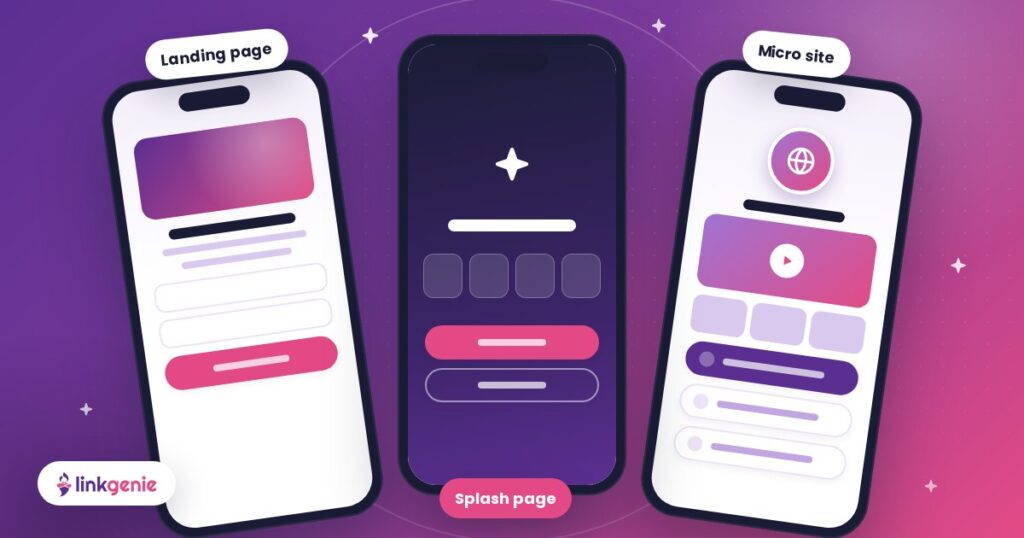
Landing page vs splash page vs micro site vs link in bio page
| Page type | Best for | Content | Build it in LinkGenie with |
|---|---|---|---|
| Landing page | One conversion: sign up, book, buy, download | One focused offer and one CTA | Heading, paragraph, call to action, email or phone collector, payment blocks |
| Splash page | An announcement or a choice before visitors move on | A short message and one or two buttons | Image, big link, countdown, alert |
| Micro site | The full story of one brand, event, product or person | Several sections: media, FAQs, contact | Video, image slider, FAQ, timeline, vCard, custom domain (PRO+) |
| Link in bio page | Sending social followers to everything you do | All your key links and channels | Links, socials, embeds, vCard, smart short links |
For a deeper comparison, read Landing Pages, Splash Pages & Micro Sites: Build Them All with LinkGenie.
Why LinkGenie is an ideal landing page builder
Traditional website builders give you hundreds of templates and settings you will never use. LinkGenie gives you a branded, mobile-first page you can turn into a landing page in minutes:
- Landing pages that convert: combine heading, call to action, email collector, phone collector and payment blocks on one fast page. See every block on Blocks & Integrations.
- Splash pages and micro sites: use the same builder for a countdown splash page or a multi-section micro site on your own custom domain with PRO+.
- Smart short links: one short link per channel with UTM parameters, A/B rotation, geo and device targeting, scheduling and expiration. Learn more on Features.
- QR code generator: branded QR codes for flyers, packaging and events, so offline traffic lands on the same page. See Tap, Scan, Connect.
- Digital business cards: a vCard block lets visitors save your contact details in one tap, which is perfect for service and B2B landing pages.
- Analytics and pixels: countries, referrers, UTMs and devices, plus tracking pixels on paid plans. Our guide to link in bio analytics shows how to read them.
- Link in bio pages: your landing page can also be the page in your social bios, so followers always find your latest offer.
Want inspiration? Browse real pages on the Examples page.
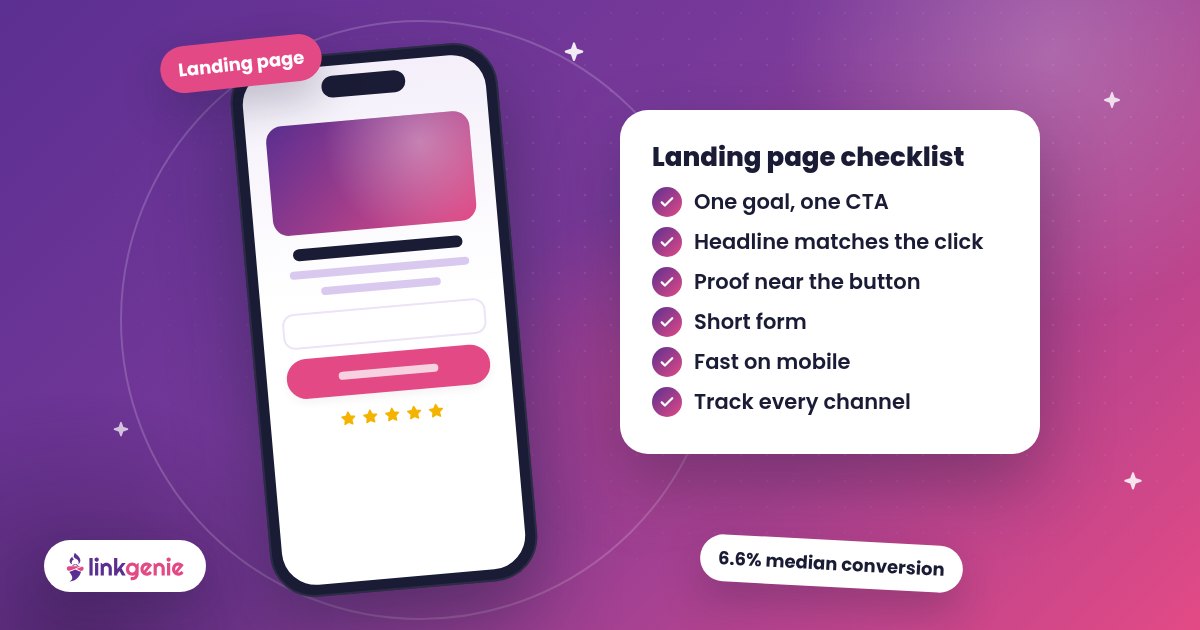
Landing page checklist
- One goal and one CTA, repeated near the top and bottom
- Headline that matches the ad, post or QR code
- Copy at a simple reading level, in short lines
- Hero image or video showing the result
- At least one proof point near the CTA
- Short form: only the fields you need
- Loads fast on a phone, with big tap targets
- Smart short link and UTMs per channel
- QR code for print and in-person traffic
- A plan for what you will test next
FAQ
What makes a landing page effective?
An effective landing page has one goal, a headline that matches the link visitors clicked, clear benefits, proof, a short form or button, and fast mobile loading. Removing distractions such as extra menus usually helps more visitors finish the action.
What is a good landing page conversion rate?
Unbounce's 2024 Conversion Benchmark Report found a median of 6.6% across all industries, with industry medians from 3.8% to 12.3%. Compare against your own industry and your previous versions rather than one universal number.
How long should a landing page be?
As long as it takes to answer the visitor's questions and no longer. A free download or waitlist can work with a few lines and one form. A higher-priced offer usually needs more proof, details and an FAQ.
Do I need a website to have a landing page?
No. A LinkGenie page works as a standalone landing page with its own short link and QR code. If you already have a website, your landing page can point visitors to it.
What is the difference between a landing page and a home page?
A home page introduces everything a brand does and links in many directions. A landing page focuses on one offer and one action, which is why it converts campaign traffic better.
Can I build a landing page for free?
Yes. LinkGenie's Basic plan is free forever and includes one bio link page with the core link, social and contact blocks. PRO ($5 a month) and PRO+ ($50 a month) add more blocks, QR codes, payments, pixels and, on PRO+, custom domains. Compare plans on the pricing page.
Sources
- Unbounce, Conversion Benchmark Report (2024)
- MarketingProfs, Landing Page Conversion Benchmarks for 2024
- Google, mobile speed data (2016) via the Speed Scorecard announcement
Build your best landing page with LinkGenie
Pick one goal, write a headline that matches the click, keep it fast and track every channel. LinkGenie gives you the landing page, splash page, micro site, smart short links and QR codes in one place. Creators can also read how to grow your social net worth with one page for every channel.
Claim your free LinkGenie link and launch your landing page today.
Keep reading
Landing Pages, Splash Pages & Micro Sites: Build Them All with LinkGenie
What landing pages, splash pages, micro sites and link in bio pages are, how they differ,…
Your Shop, One Tap Away: Link in Bio for Small Businesses
Menu, booking, directions, reviews and socials in one link. How local businesses can use a LinkGenie…
Social Net Worth: How Creators Grow It With One Page for Every Channel
Fans who find you on one platform rarely know your others. How creators turn every fan…