

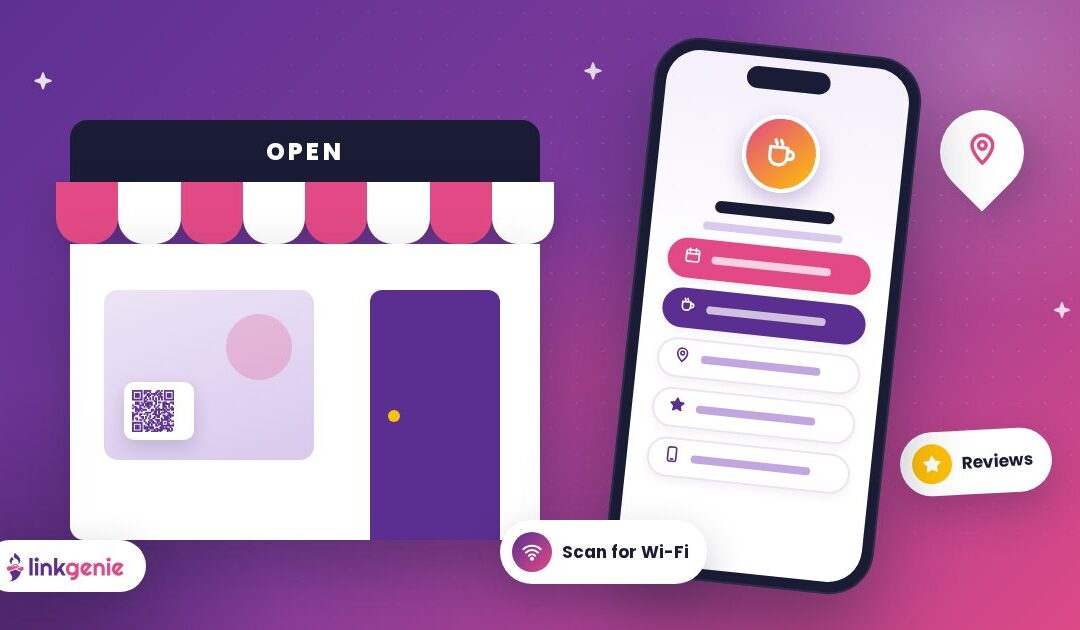
Your customers are looking for you in a dozen places: Instagram, Google, a flyer on the coffee shop board, the sign in your window, a friend's text message. Each of those moments is a chance to win a visit or a sale, as long as it's easy for them to take the next step.
A LinkGenie page gives your small business one simple link that holds everything customers need: your menu or services, booking, directions, reviews, socials and contact details. No website project required. Here's how to set one up that actually brings people through the door.
Why a link page works for local businesses
Small business owners wear every hat. You don't always have time to update a full website, and you definitely don't want to update links in six different places every time your hours change.
With one LinkGenie page:
- Every channel points to the same place. Your Instagram bio, your Google profile, your printed flyers and your emails all share one link.
- Updates take seconds. Change your holiday hours or swap in this week's special once, and it's live everywhere.
- It's built for phones, which is how most people will look you up while they're out and about.
Put the money links first
When a customer opens your page, what do you want them to do? For most local businesses it's one of a few actions:
- Book or order: reservations, appointments, online ordering or a quote request.
- Visit: directions to your shop and your opening hours.
- Call or message: a tap-to-call link or your contact card.
Put your number one action at the very top with a clear, verb-first label: "Book your appointment," "Order for pickup," "Get directions." Then follow with the next most common need.
Genie tip: Ask your staff what customers ask most often over the phone. The top three questions are probably the top three links your page needs.
Make it easy to save and share your details
Add a vCard block so customers, vendors and partners can save your business contact to their phone in a tap. It's especially handy for service businesses like contractors, salons, photographers, consultants and agents, where repeat customers need to find you again.
Use QR codes in your physical space
Your shop is full of opportunities to connect with people who are already standing in front of you. LinkGenie's QR code generator, included on paid plans, lets you design branded codes with your logo, colors, gradients and frames. Its templates also cover Wi-Fi, location, calendar and vCard codes.
Great places for a QR code:
- Counter and register: "Scan to see today's specials" or "Scan to leave us a review."
- Tables and menus: link to your full menu, allergy info or your loyalty sign-up.
- Window and door: let passersby see your hours, services and booking link even after you close.
- Receipts, bags and packaging: invite customers to follow you or reorder.
- Wi-Fi sign: a Wi-Fi QR code saves guests from typing a long password, and gives you a natural spot to show your page's code beside it.
Any QR code tool can also point to your LinkGenie URL. Whatever you use, keep codes high-contrast, test them on a few phones and add a short call to action next to every code. For more on printing and placement, read Tap, Scan, Connect.
Turn happy customers into reviews
Word of mouth is a local business's superpower. Make it effortless:
- Add a "Leave us a review" link pointing to your review profile.
- Ask at the right moment, like when a customer says thank you or picks up a finished order.
- Put a review QR code at the counter so people can do it while they wait.
A steady stream of fresh reviews helps new customers feel confident choosing you.
Show off what you do
People buy with their eyes. Use your page to give them a taste:
- Embed a short YouTube or Vimeo video: a behind-the-scenes look, a product demo or a quick tour.
- Link a gallery of your best work, your seasonal lookbook or your latest projects.
- Feature your current promotion near the top, and swap it out when it ends.
Keep promotions timely with scheduled links
Running a weekend sale, a holiday menu or a limited-time offer? Link scheduling lets you set promotional links to appear and disappear on time, so your page never advertises a deal that ended last week.
Look like your brand
Use custom colors and branding that match your signage, your logo and your packaging. When a customer scans a code in your shop and sees the same colors on their phone, it feels seamless and trustworthy.
Growing bigger? LinkGenie PRO+ adds things like custom domains and team members, so you can run your page on your own domain and share the work with your staff. Compare plans on our pricing page.
Learn what customers want
LinkGenie analytics shows where visitors come from (referrers and UTMs), their countries and cities, and the devices they use. For a local business, that answers practical questions:
- Is Instagram or your window sign sending more people?
- Are visitors mostly local, or are tourists finding you too?
- Which links do people actually tap: menu, booking or directions?
Use what you learn to reorder your links, adjust your signage or shift where you spend your marketing time.
A sample layout for a local shop
Here's a simple structure that works for many small businesses:
- Book an appointment / Order online
- Today's special or current promotion
- Get directions and hours
- Call us / Save our contact (vCard)
- See our work (gallery or video)
- Leave a review
- Follow us on Instagram and Facebook
Adjust the order to your business. A restaurant might lead with the menu, a salon with booking and a retail shop with the new arrivals.
Small business, big magic
You don't need a big budget or a web team to make it easy for customers to find you, book you and come back. You need one link that holds everything and stays current with a few taps.
Claim your free LinkGenie link for your business, put it in your bio and on your counter, and give every customer a quick path to your door.
Keep reading
Making a Great First Impression
Visitors decide in seconds whether to stay on your link in bio. Here is how to…
Tap, Scan, Connect
Bring your link in bio into the real world. How to share your LinkGenie page in…
One Link, Every Platform: A Creator’s Guide to Link in Bio
Turn scrollers into fans. How creators can use one LinkGenie page as a home base for…