
Someone taps the link in your bio. In the next few seconds they decide whether to stay, scroll and click, or bounce back to their feed. That tiny window is your first impression, and it happens a lot more often than a handshake.
The good news? A great first impression online is not luck. It is a handful of simple choices you can make in an afternoon. Here is how to make your LinkGenie page feel polished, personal and worth exploring from the very first glance.
Know the one job of your page
Before you touch colors or photos, answer one question: what should a new visitor do first? Book a call, hear your new song, shop the latest drop, save your contact details, follow you somewhere else? Pick one main goal for this season.
Everything else on your page should support that goal, not compete with it. A page that tries to do twelve things at once feels like a junk drawer. A page with a clear first move feels confident.
Genie tip: Write your main goal on a sticky note before you start editing. If a link doesn't help that goal or clearly serve your audience, it can move lower or go.
Lead with a face (or a logo) people recognize
Your profile image is the first thing eyes land on, so make it count.
- People-first brands: use a clear, well-lit photo of your face. Crop it square on your phone before you upload so nothing important gets cut off.
- Businesses: use your logo or storefront mark, with enough padding that it doesn't touch the edges of the circle.
- Match your other profiles. If someone comes from your Instagram or LinkedIn, the same photo tells them instantly that they're in the right place.
Blurry, dark or busy images are the fastest way to look unfinished. If in doubt, choose simple.
Write a bio that says who, what and why
You get a line or two, so skip the life story. A strong bio answers three things fast:
- Who you are: "Wedding photographer in Philly" beats "Creative soul."
- What you offer: the thing people come to you for.
- Why tap now: a reason to explore, like "New spring dates just opened."
Emoji can add personality and act as visual bullet points, but one or two is plenty. Read your bio out loud. If it sounds like something you would actually say to a new client or fan, you're close.
Put your best links on top
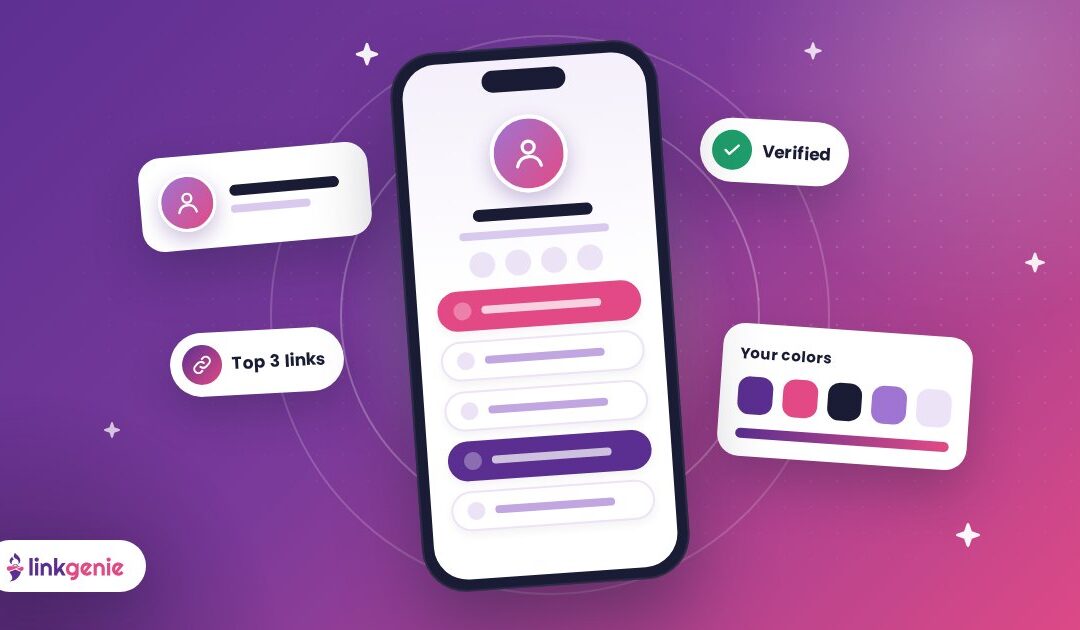
Most visitors won't scroll forever, so order matters. Think of the first three links as your shop window.
The top three rule
Place your most important action first, your second-most important next, and so on. Your newest release, your booking link or your best-selling product earns that top spot. Older or "nice to have" links can live further down.
Name links like buttons, not file names
"Book a free 15-minute call" tells people exactly what happens when they tap. "Calendly" does not. Short, specific labels that start with a verb get more clicks than vague ones.
Keep it lean
If you have twenty links, your visitor has twenty decisions. Group related items, retire anything outdated and keep the page focused. You can always swap links in seconds when something new launches.
Make it look like you
Consistency builds trust. LinkGenie lets you style your page with your own colors and branding, so it feels like an extension of your brand instead of a generic list.
- Colors: pick one main brand color and one accent. Use the accent sparingly so your key buttons pop.
- Fonts: choose something readable first and stylish second. If people squint, they leave.
- Background: a subtle texture or photo can add mood. Keep enough contrast that every word stays easy to read. (Custom backgrounds are one of the extras on LinkGenie PRO.)
On PRO plans, the verified check is a small extra signal that tells visitors they've found the real you, which is helpful if you have a common name or you're worried about lookalike accounts.
Show, don't just tell
Links are great. Seeing your work is better. LinkGenie supports blocks such as YouTube, Vimeo and Spotify embeds, so visitors can watch your reel or hear your track without leaving the page. One strong embed near the top can do more than a paragraph of description.
Pick the single piece of content that best represents what you do right now, feature it and let it do the talking.
Make it easy to stay in touch
A first impression only matters if it leads somewhere. Give people an easy way to keep the connection going:
- Add your contact details as a vCard so people can save you to their phone in a tap.
- Use an opt-in block if you want to grow a list of fans or customers.
- Link the one or two social platforms where you're most active rather than all of them.
Test it like a stranger
Here's the step most people skip. Open your public page on your phone, in a private browser window, as if you've never seen it before. Then ask:
- Within three seconds, can I tell who this is and what they do?
- Is the most important link obvious?
- Does every link work and go where it says?
- Is any text hard to read against the background?
Better yet, send it to a friend and ask what they would tap first. If their answer matches your main goal, you nailed it.
Keep the magic fresh
First impressions happen every day, not just on launch day. Set a reminder to review your page once a month. Move new things up, archive what has run its course and keep your bio current. A page that is obviously maintained tells visitors you're active and paying attention.
Make your first impression today
You don't need a website, a designer or a free weekend to look great online. You need a clear goal, a recognizable photo, a sharp bio and a few well-chosen links, all in one place.
That's exactly what LinkGenie is for. Claim your free LinkGenie link, pick a name and have your page ready to share before your coffee gets cold.
Keep reading
Read Your Stats: Using Link-in-Bio Analytics to Get More Clicks
Referrers, UTMs, countries, devices and taps. A simple monthly routine for reading your LinkGenie analytics and…
One Link, Every Platform: A Creator’s Guide to Link in Bio
Turn scrollers into fans. How creators can use one LinkGenie page as a home base for…
Your Shop, One Tap Away: Link in Bio for Small Businesses
Menu, booking, directions, reviews and socials in one link. How local businesses can use a LinkGenie…