

You built your page, shared your link and people are visiting. Now what? The difference between a link that just sits there and one that steadily grows your audience is simple: paying attention to what visitors actually do, then making small improvements.
You don't need to be a data scientist. You need a few good questions, a monthly habit and a willingness to experiment. Here's how to read your LinkGenie analytics and turn them into more clicks.
What LinkGenie tracks for you
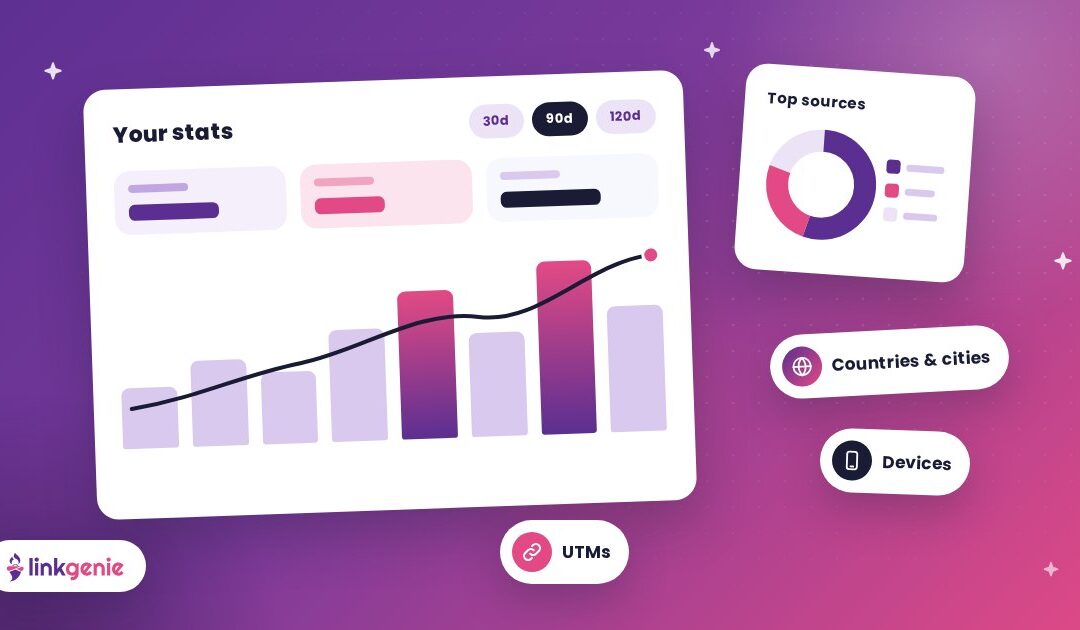
Every LinkGenie page comes with a stats dashboard. Depending on what you're looking at, it can show:
- Where visitors are: countries and cities.
- How they found you: referrers and UTM parameters.
- What they use: devices, operating systems, browsers and languages.
- What they tap: activity on your page and links.
How far back you can look depends on your plan: 30 days on Basic, 90 days on PRO and 120 days on PRO+. LinkGenie is built with privacy in mind, too. Its analytics are marketed as GDPR, CCPA and PECR compliant.
Start with one question at a time
Dashboards can be overwhelming when you try to take in everything at once. Instead, pick one question per check-in. Here are the most useful ones.
1. Where is my traffic coming from?
Look at your referrers. If most visitors come from Instagram, your Instagram bio is doing the heavy lifting. If a podcast or a newsletter shows up, that partnership is working.
What to do with it: spend more energy where your link is already performing, and test new ways to mention it on platforms that are quiet.
2. Which links get tapped, and which get ignored?
Your top links show what people came for. Links that rarely get tapped are either in the wrong spot, labelled poorly or not interesting to your audience.
What to do with it: move popular links higher, rename underperformers with clearer, verb-first labels, and retire links nobody uses.
3. Who is my audience, really?
Countries and cities might surprise you. A creator could discover a big following in another country. A local business might see that most visitors really are nearby, or that tourists are finding them before they arrive.
What to do with it: adjust posting times, offers, languages or even event locations to match where your audience actually is.
4. What devices are people using?
If nearly everyone visits on a phone (likely, since most people tap through from social apps), your page needs to shine on a small screen.
What to do with it: preview your page on a phone after every change. Keep labels short and make sure your most important link is visible without scrolling.
Use UTMs to see which posts and placements work
Referrers tell you which platform sent someone. UTM parameters tell you exactly which post, campaign or printed piece did.
A UTM is a small tag added to the end of a link, like ?utm_source=flyer&utm_campaign=spring. When someone visits through that tagged link, your analytics show it.
On plans that include LinkGenie's short links, you can add UTM parameters as you create them. Then compare:
- Your Instagram story link vs. your TikTok bio link.
- Your booth banner QR code vs. the code on your business card.
- This month's newsletter vs. last month's.
Genie tip: Keep a simple naming system, like source = where (instagram, flyer, card) and campaign = what (spring-sale, album-launch). Consistent names make your reports easy to read months later.
Run simple experiments
The best way to improve your clicks is to change one thing, wait, and compare. Some easy experiments to try:
- Reorder: move your second-most important link to the top for two weeks.
- Relabel: change "Shop" to "Shop the new spring collection."
- Feature content: add a video embed near the top and see if visitors stay and tap more.
- Trim: remove three low-performing links and see whether your main link gets more attention.
Change one variable at a time so you know what made the difference. Give each test long enough to collect a fair amount of visits before you decide.
Try A/B rotation on short links
LinkGenie's short links also support A/B rotation, which sends visitors to different destinations so you can compare them. It's a handy way to test two landing pages, two offers or two versions of a sign-up page with real traffic.
Reach interested visitors again with pixels
If you advertise, tracking pixels let you reconnect with people who already visited your page. LinkGenie supports pixels for Facebook, Google Analytics, Google Tag Manager, LinkedIn, Pinterest, X, Quora, TikTok and Snapchat. The number of pixels you can add depends on your plan, so check the pricing page for the details.
Pixels are powerful, so use them responsibly: be clear with your visitors about how you use their data, and follow the rules that apply where you and your audience are located.
Build a monthly 15-minute review habit
You don't need to check stats every day. Daily numbers bounce around and can make you second-guess everything. A short monthly routine works better:
- Top sources: which platforms sent the most visitors?
- Top links: what did people tap most? What got ignored?
- Audience: any changes in countries, cities or devices?
- Last experiment: did the change you made help?
- Next experiment: pick one thing to test this month.
Write your answers down. After a few months you'll have a clear picture of what your audience loves, and a page that keeps getting better.
Metrics mistakes to avoid
- Chasing vanity numbers. Visits are nice; taps on your main goal are what matter.
- Changing everything at once. You won't know what worked.
- Ignoring small samples. A handful of visits can't tell you much. Wait for more data.
- Never acting on what you learn. Data only helps if it changes what you do next.
Let your link get smarter every month
Your link in bio is never really "done." Every visit tells you something about what your audience wants. Listen to it, make one smart change at a time, and your page will keep earning more clicks.
Claim your free LinkGenie link, share it everywhere and start learning what makes your audience tap.
Keep reading
Making a Great First Impression
Visitors decide in seconds whether to stay on your link in bio. Here is how to…
One Link, Every Platform: A Creator’s Guide to Link in Bio
Turn scrollers into fans. How creators can use one LinkGenie page as a home base for…
Your Shop, One Tap Away: Link in Bio for Small Businesses
Menu, booking, directions, reviews and socials in one link. How local businesses can use a LinkGenie…